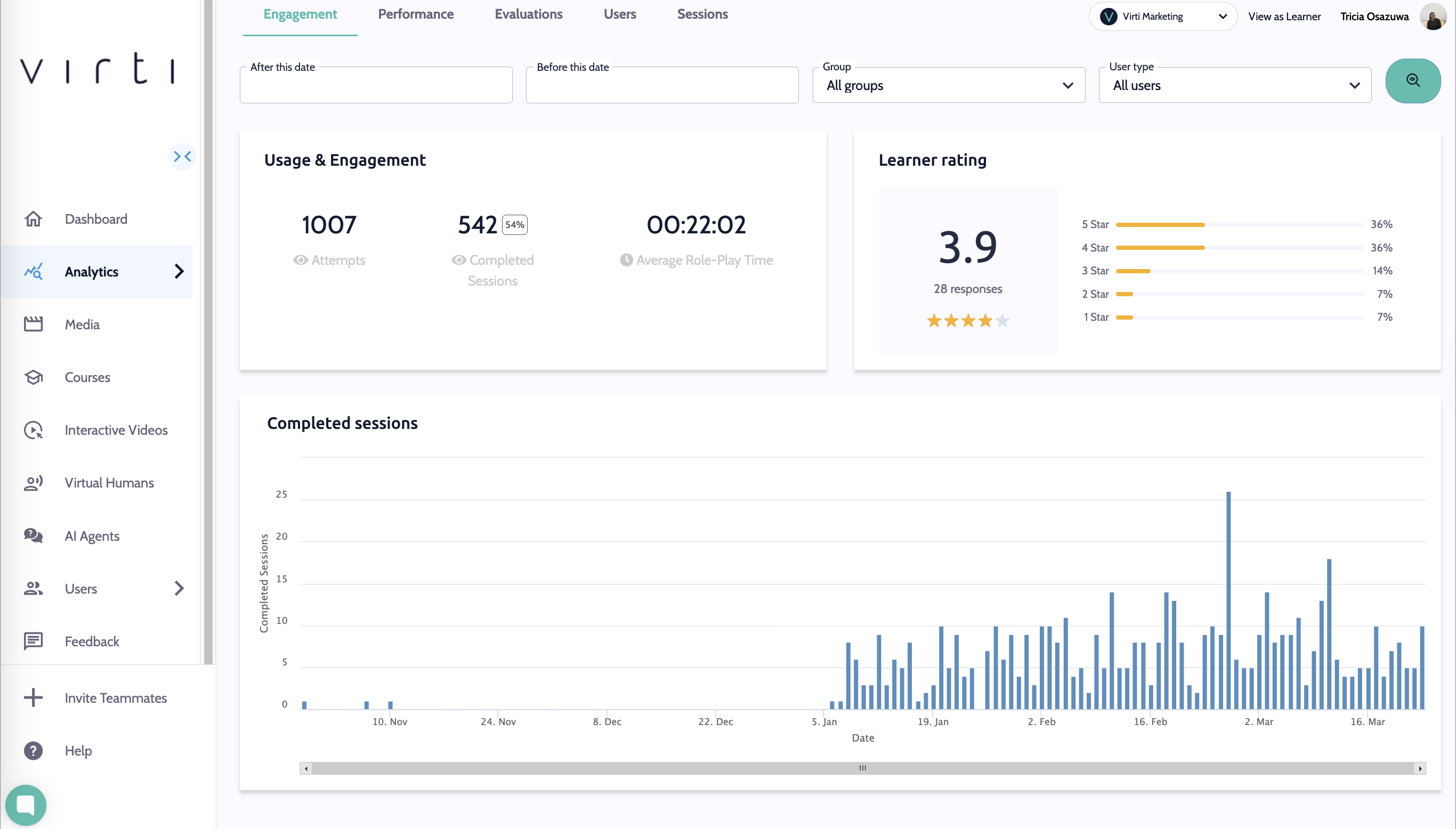
Virtual Human role-play scenarios capture rich data, including engagement, performance, objectives, tone, chat logs, and sentiment analysis. Use these insights to identify strengths and gaps, personalize training, and track progress over time.
On the Engagement tab you will find useful data about how your learners are interacting. You will be able to see how many learners have attempted and completed the training, the learner rating of the training session, as well as how long they have spent in the session.
Tip: If your average time watched is low, you may find that learners are progressing too quickly, either skipping through, or that the scenario is too easy.
Tip: If your completion rate is low, there may be an issue with your scenario, or it may be too long, causing learners to exit before completing it.
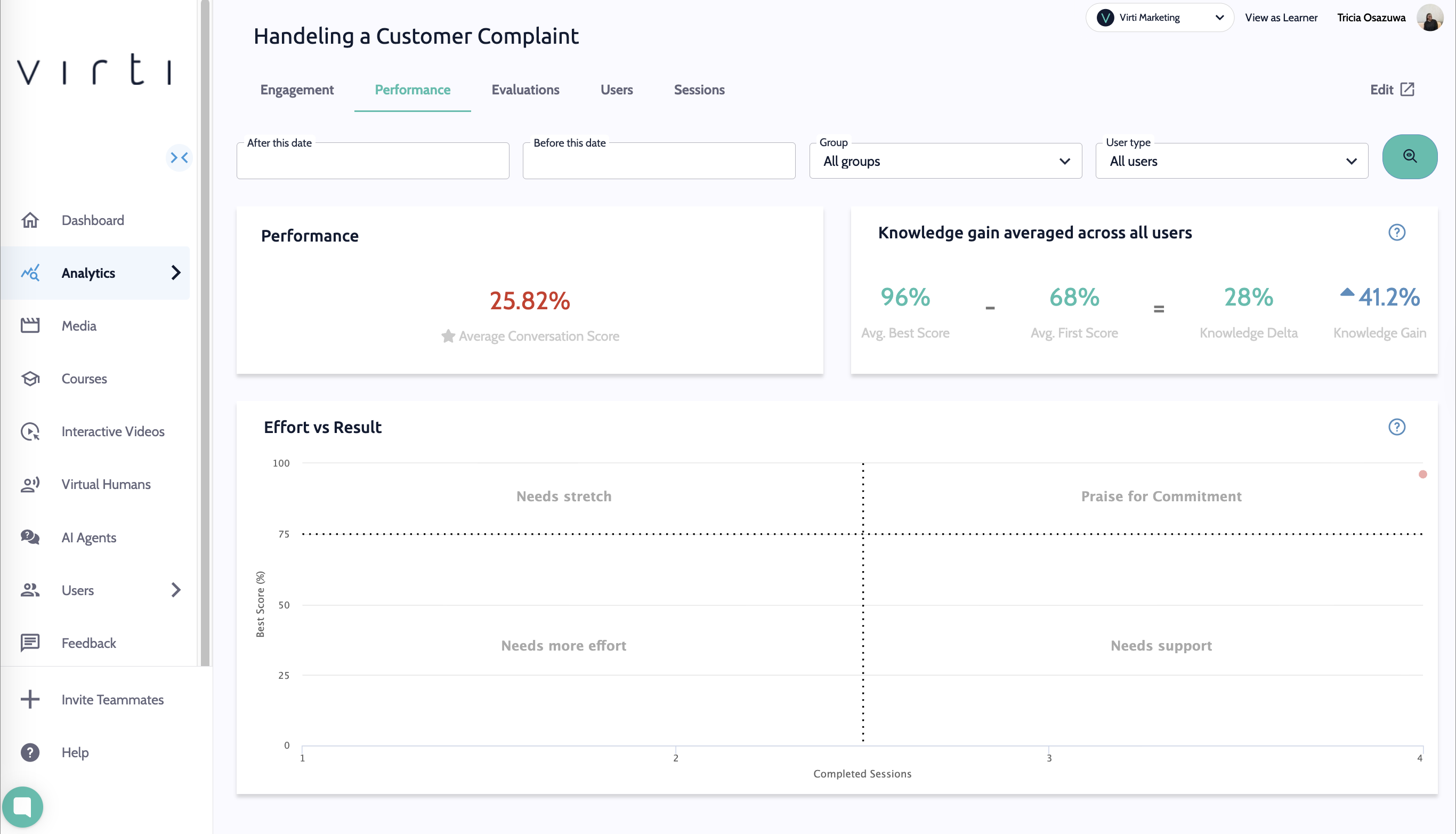
If you are using your scenario as an assessment, and have including a scoring system. In the Performance tab you will find useful high level data about how your students are performing during your training.
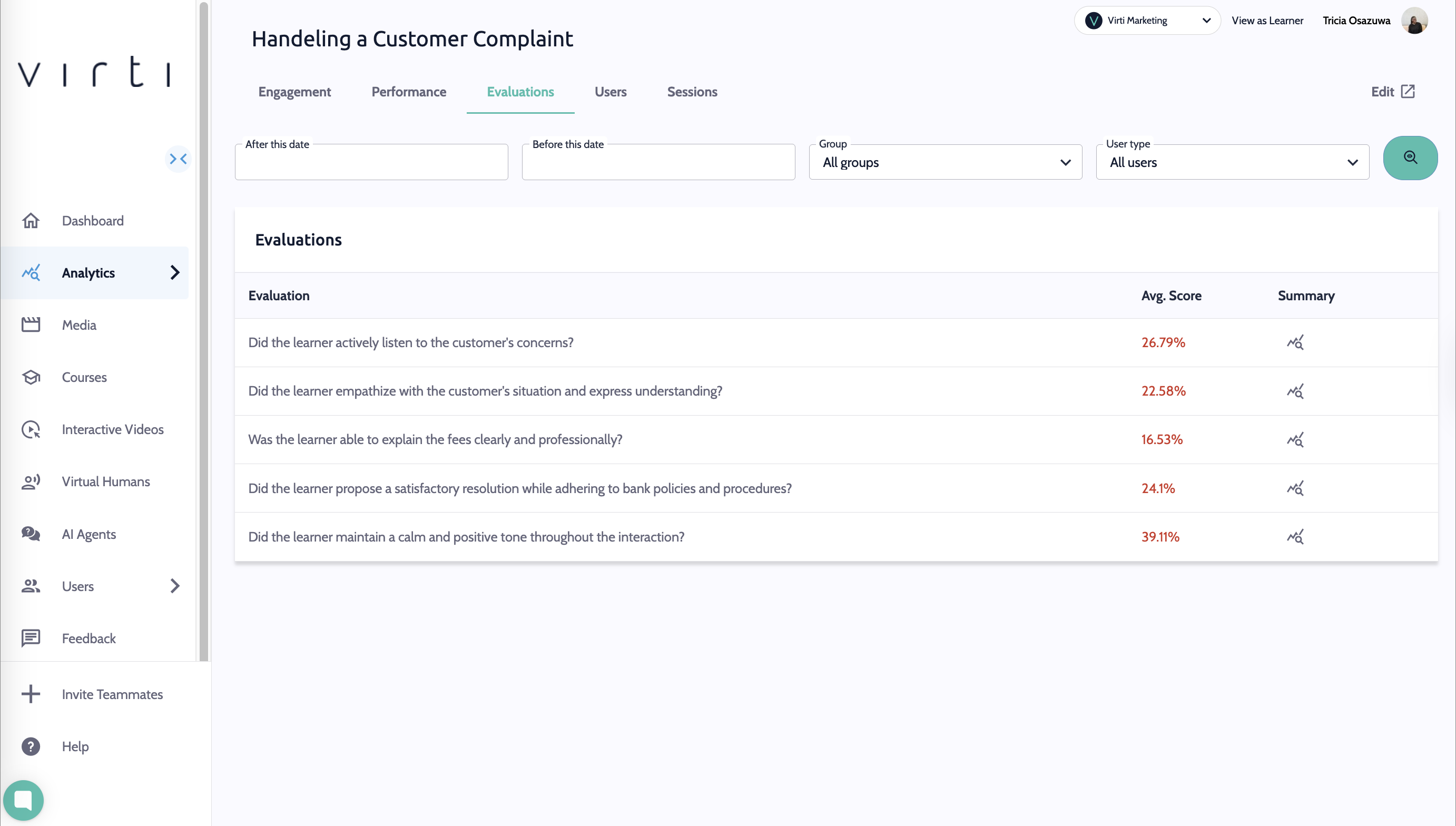
On the Evaluations Tab, you will find data on how your learners are performing against the objectives set for each scenario. This allows you to quickly assess whether learners are meeting expectations, identify areas where they may need additional support.
The Average Score, will show you the total average score received across the learners who completed the training.
Knowledge gain shows you the average difference between the best score your learners received and the first score they received. This shows how much better your learners are performing after multiple attempts.
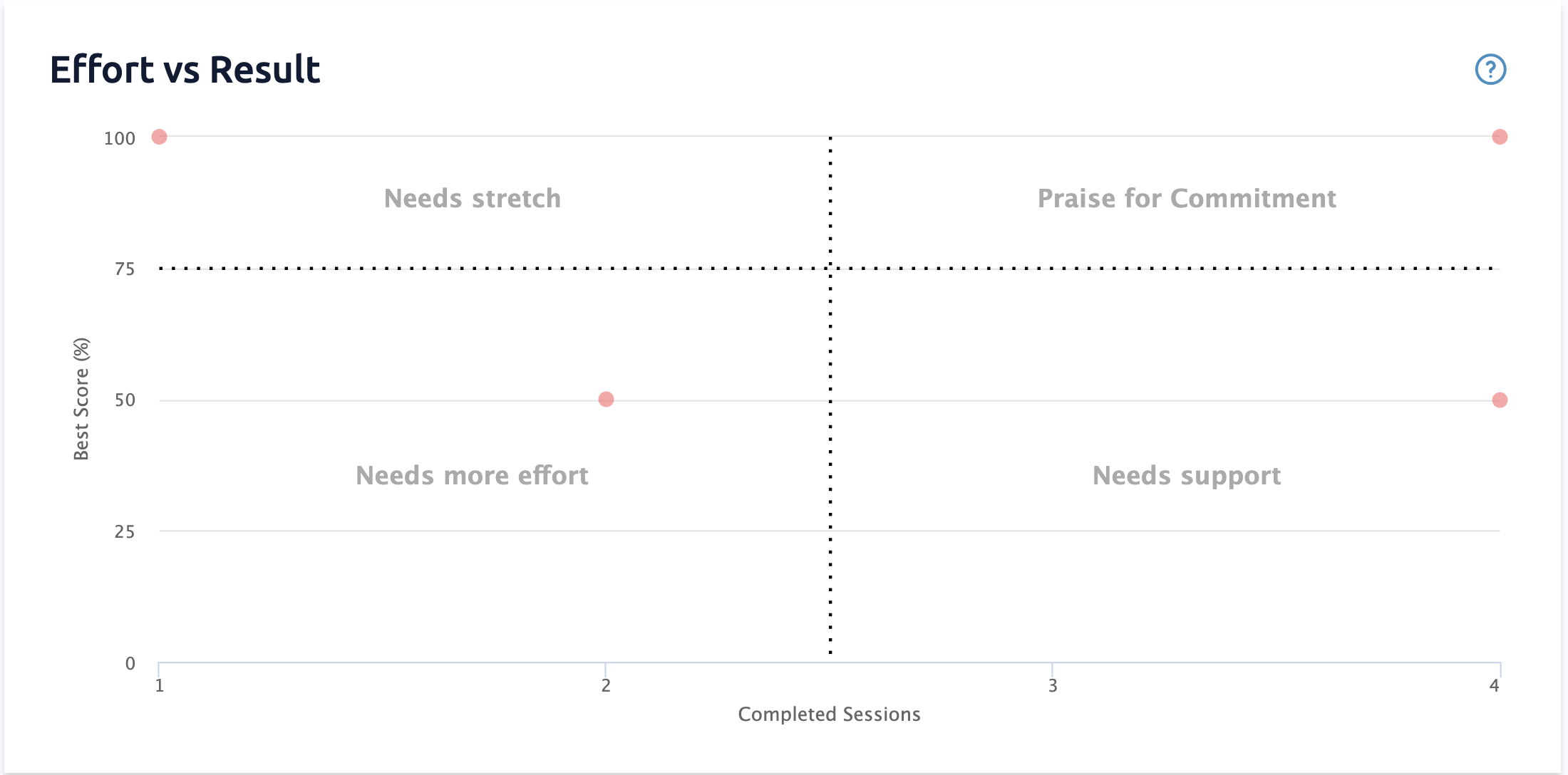
The Effort vs Result In this chart, learners are plotted according to their top score, and how many Completed Sessions they have taken to achieve that score.
Praise for Commitment
Learners who have achieved high scores, and have completed the training many times. These learners deserve credit for putting effort in to achieve a high score.
Needs Stretch
Learners who have achieved high scores, and have only completed the training a few times. These learners may need more of a challenge.
Needs More Effort
Learners who have received low scores, but have only completed the training a few times. They might need to try again to boost their scores.
Needs Support
Learners who have received low scores, and have completed the training many times. They might need some help to understand the content and receive better scores.
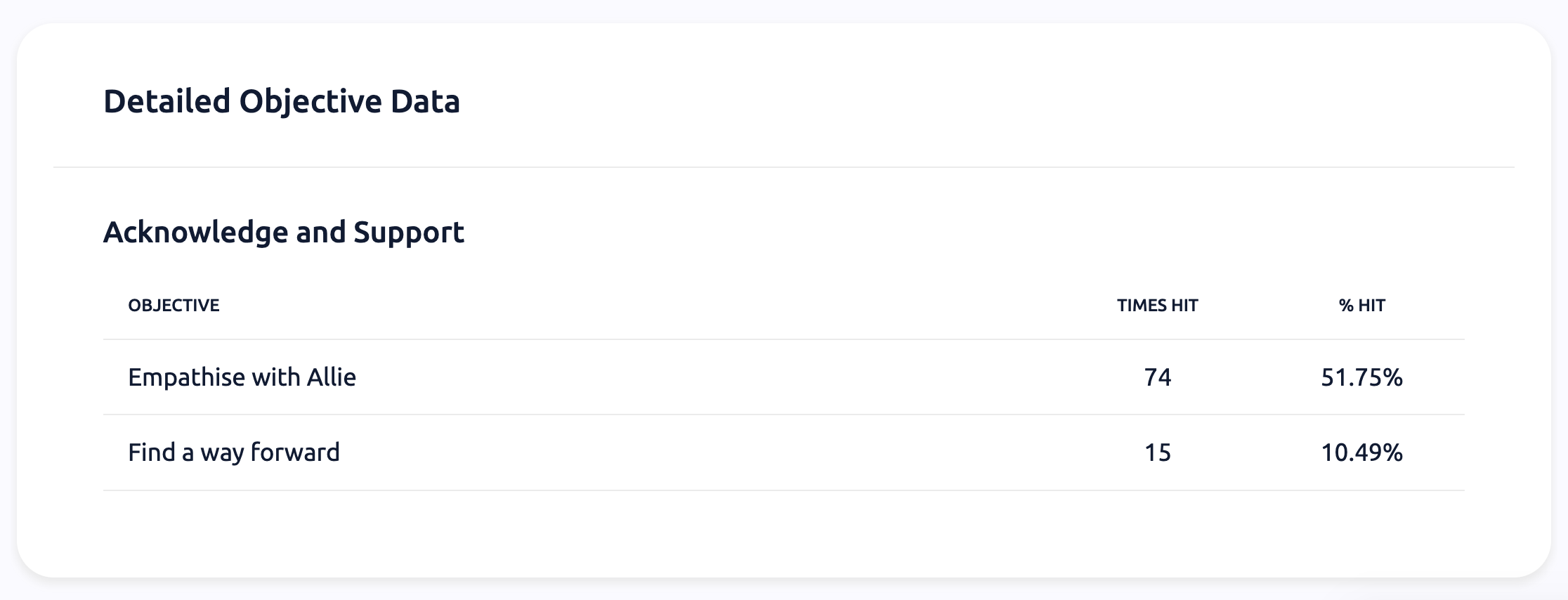
In the Objectives tab, you will find objective data, which is a detailed view of how your learners are performing within each objective. In the example above, about half of the learners are hitting the Empathize with Allie objective, and only 1 in 10 are hitting the Find a way forward objective. This may mean that either you need to make it easier to hit the objective, or that your students need more support prior to being assessed.
We’ve upgraded the Sessions tab, you will be able to see the individual sessions completed by each learner. This allows you to dive into the conversation and review it with the learner to provide important feedback.
Click on the page icon to view a session log.
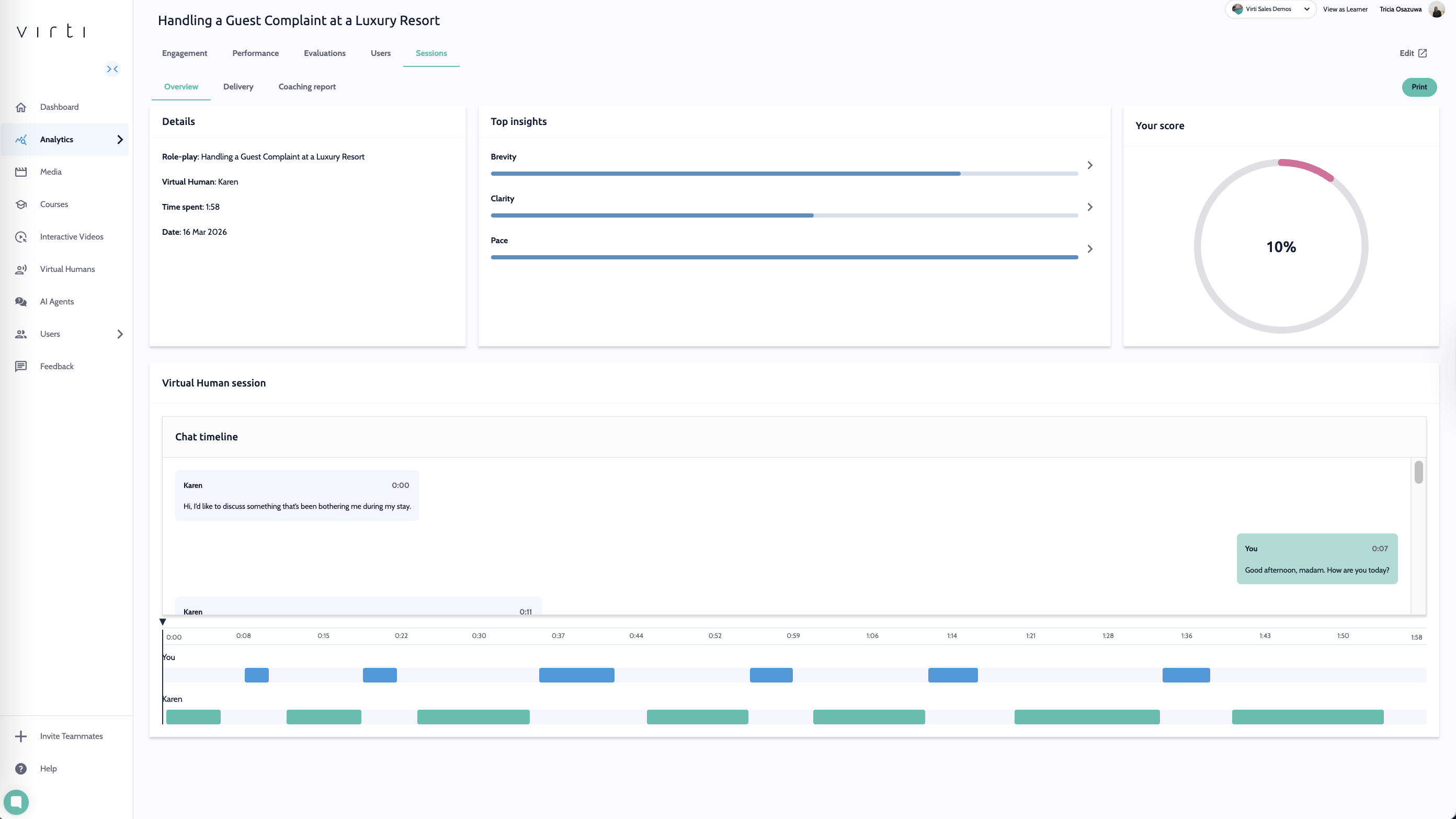
Overview
Here you can review key session metrics including time spent, overall score, and top insights across brevity, clarity, and pace. A session timeline allows you to navigate forward and backward through the session, making it easy to pinpoint specific moments and gain a deeper understanding of each learner's performance.
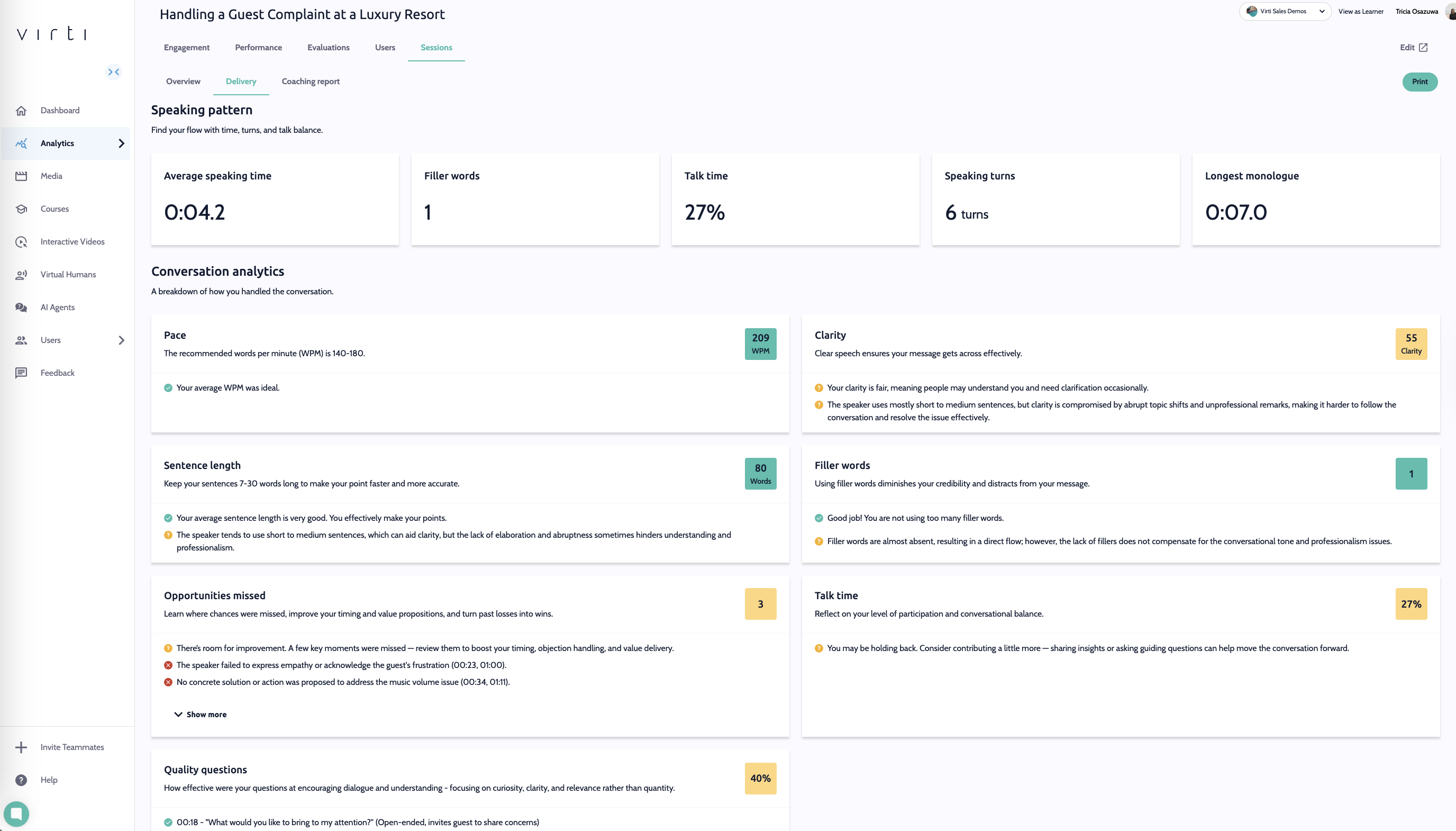
Delivery
Dive deeper into learner communication habits with AI-powered conversational analytics. This section breaks down speaking patterns in detail, including sentence length, filler word usage, talk time, and more giving you a granular view of how learners express themselves and where they can refine their communication skills.
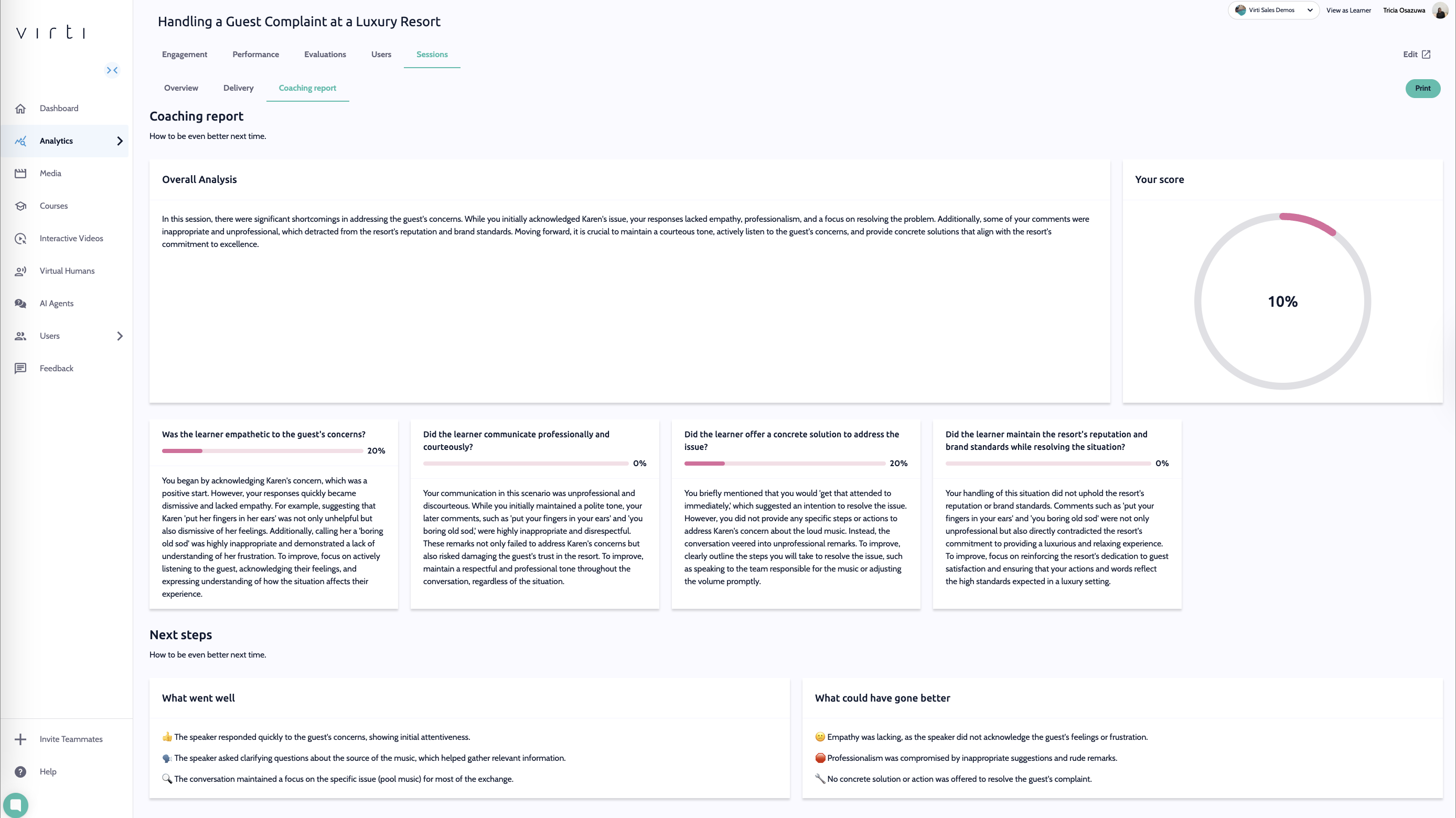
Coaching report
The Coaching Report provides learners with personalized feedback on their performance, highlighting what went well (www) and what could be done better next time. Encouraging learners to build on their strengths while giving them clear, actionable guidance on how to further develop their skills.
To dive deeper in to your data, check out these guides:
Need more help? Contact [email protected]