
Best practices: Create with AI - Uploading role play briefs
The "Upload" feature in the "Create with AI" tool is a game-changer for those who already have pre-existing materials such as role-play briefs, scripts, storyboards, or informational documents. By uploading your files (PDF or Word documents), the AI can tailor a role-play scenario around your content, saving you time and effort while ensuring the results align with your vision. Here are some best practices to help you make the most of this feature.
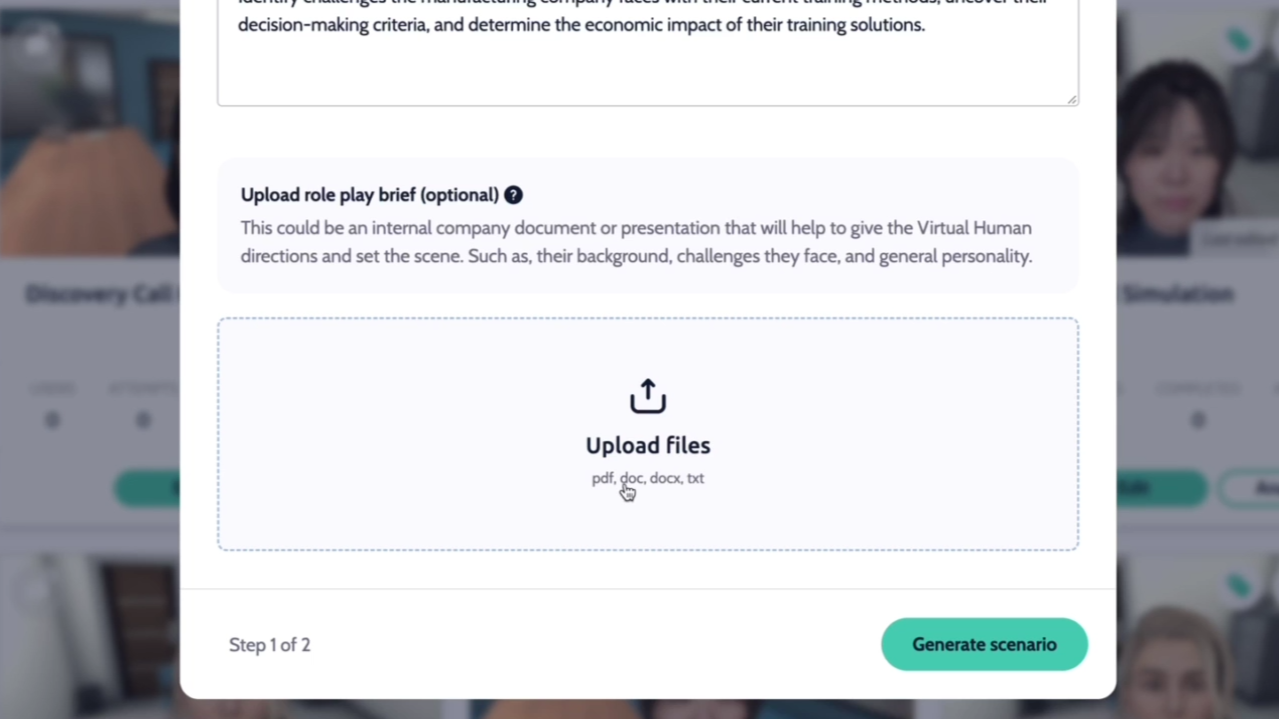
How the Upload Feature Works
The "Upload" feature analyzes the content of your document and extracts relevant information to design a customized role-play scenario. The better the quality and clarity of your uploaded materials, the more effectively the AI can create a scenario tailored to your needs.
Types of Documents You Can Upload
Role-Play Briefs: Summarize the purpose, audience, and objectives of the role-play.
Scripts: Provide dialogue or structured content for the scenario.
Informational Documents: Share background context, key points, or frameworks.
Tips for Success
Keep It Relevant: Only include information that directly contributes to the role-play.
Test and Tweak: Review the first draft generated by the AI and iterate based on what works.
Be Specific: If your upload includes objectives or key points, make them as clear as possible.
By following these best practices, you can leverage the "Upload" feature in "Create with AI" to transform your existing materials into immersive, effective role-play scenarios with ease.
Check out some other helpful articles:
Need more help? Contact us at [email protected]