This guide contains information on how best to fill out the role play description to help you create a new Virtual Human with AI.
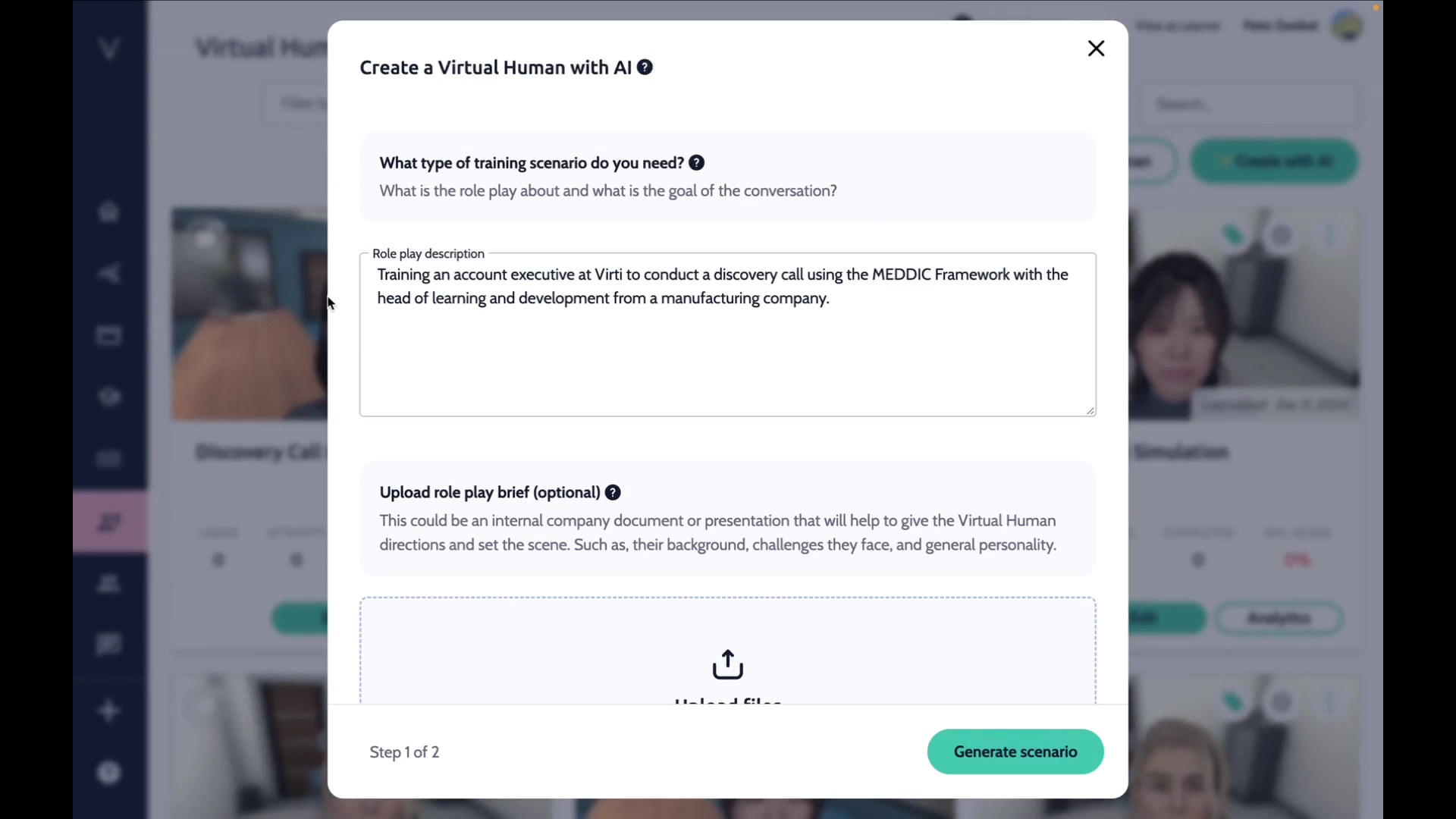
The "Create with AI" tool includes a powerful feature called the "Role Play Description" field, which allows you to control and customize the creation of impactful training scenarios featuring virtual humans. Whether you provide a simple topic or a detailed scenario description, this field ensures your vision comes to life with precision and ease. Follow these best practices to maximize its potential.
Your input guides the tool's output. The "Role Play Description" field adapts to how much detail you’re ready to provide. Think about where you are in the development process: Do you just have a general topic in mind, or are you ready to outline a specific scenario? Here’s how you can approach it:
Minimal Input: If you’re in the early stages and only have a broad idea, type a sentence summarizing your topic or audience. The AI will propose a starting point you can refine later.
Example:
Input: "Training for customer service agents on handling difficult customers."
Result: The AI generates a scenario where agents practice responding to an irate customer who received the wrong product.
Detailed Input: If you’re further along, include more specifics such as the scenario, objectives, audience, or frameworks you’d like to use. This helps the AI create something highly tailored.
Example:
Input: "A role-play scenario for sales executives to practice discovery calls using the MEDDIC framework. The audience is mid-level account executives, and the goal is to identify the Decision Maker and understand the buyer’s pain points."
Result: The AI creates a detailed training module featuring a virtual head of learning and development from a manufacturing company.
To achieve optimal results, include the following components in your instructions:
Specify who the training is for to tailor language, tone, and challenges appropriately.
Examples:
New managers learning to conduct performance reviews.
Healthcare professionals practicing patient empathy.
Define what learners should accomplish by the end of the training.
Examples:
Teach negotiation techniques to sales staff.
Improve active listening skills in customer support teams.
Provide context for the training, such as the setting, challenges, or tasks.
Examples:
A virtual patient presenting with symptoms that require diagnosis.
A conversation with an unhappy client threatening to cancel their contract.
Mention any preferred framework to guide the AI.
Examples:
Use the GROW coaching model for leadership training.
Incorporate the STAR method for behavioral interview practice.
Start Simple: Unsure? Begin with minimal input and refine the AI's output.
Iterate and Refine: You'll have many chances to refine this, both in the next step, but also once you've actually tested out the experience, so don't worry about getting it perfect.
Be Specific: Avoid vague instructions like "Make it engaging." Instead, clarify what "engaging" means for your audience.
Reflect Real-World Challenges: Realistic and relatable scenarios enhance training impact.
"Create a scenario for high school teachers to practice de-escalating conflicts with students. The objective is to improve communication skills in tense situations."
"Develop a training module for marketing managers to brainstorm and pitch innovative campaign ideas to a skeptical leadership team."
By following these guidelines, you can harness the "Create with AI" tool to design high-quality, tailored training scenarios that align with your goals and resonate with your audience.
Check out some other helpful articles:
Creating a Conversational Virtual Human with AI
Best practices for the "Upload role play brief" feature in create with AI
Need more help? Contact us at [email protected]
