
What is Voice-only mode?
Voice-Only Mode lets learners complete role-play scenarios Virtual Human free. This makes practice feel more natural and realistic, helping learners build real-world conversation skills.
How to create a voice-only mode scenario?
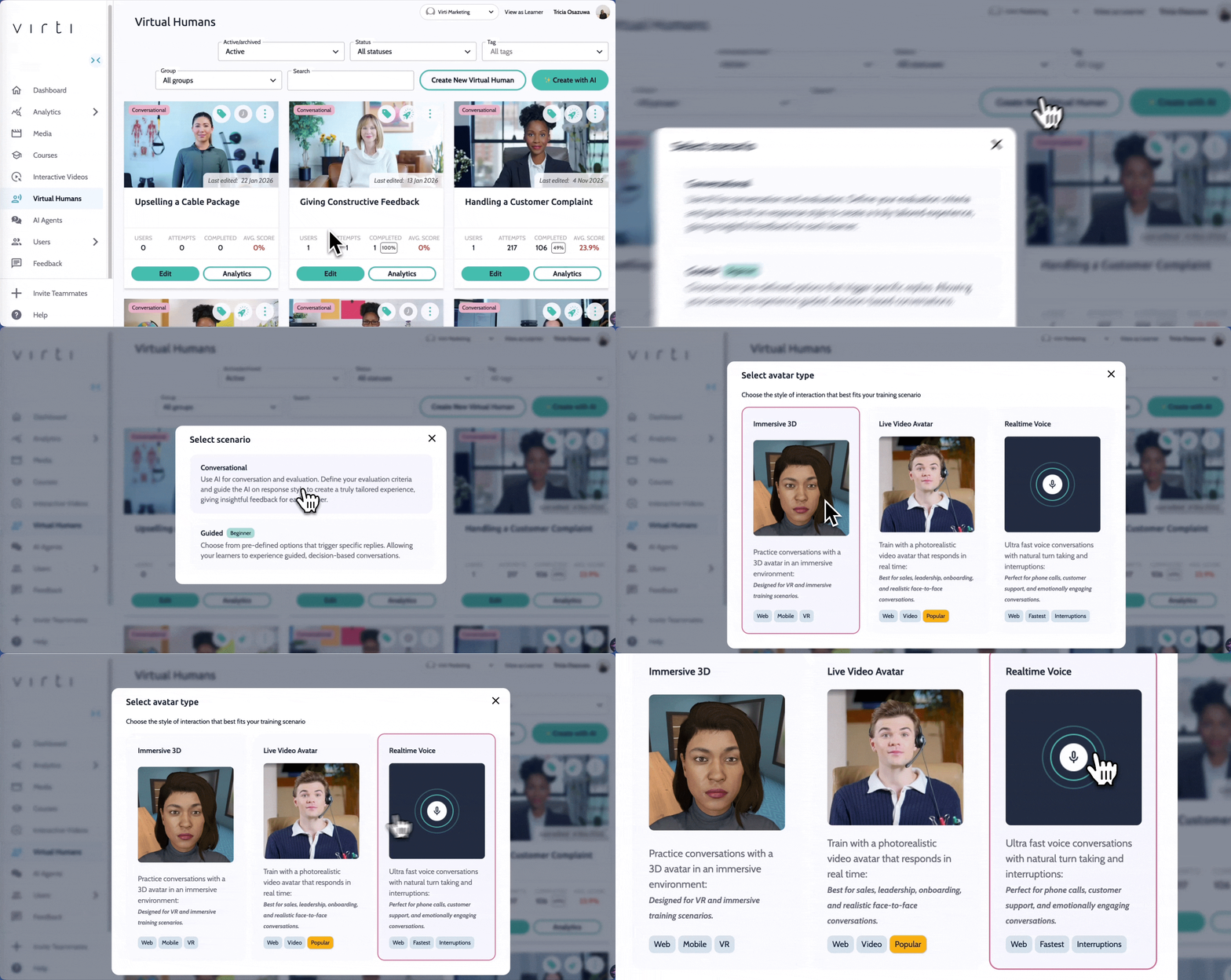
Open a your Virtual Human dashboard
Click the Create a New Virtual Human button in the top-right corner
Select a conversational scenario
Choose the ‘Realtime Voice’ avatar type to get started
Name your scenario and hit create
Follow steps to creating a scenario as usual
FYI: Voice-Only Mode is not available on every Virti plan. If you don’t see the option, check your plan or contact your account manager.