What are courses in Virti, how can your organization benefit from using them, and how can you create/access them.
Courses allow you to deliver end-to-end immersive learning experiences tailored to your organization's training requirements. Their interactive and scalable nature makes them a cost-effective tool for enhancing employee skills and boosting overall organizational performance. With Virti, you gain data-driven insights, enhanced safety, increased engagement, and customizable options to meet your specific training needs.
Within Virti, you can build courses that seamlessly integrate training content such as Simulations, Virtual Humans, and Feedback forms into a cohesive user flow. Additionally, you receive detailed analytics on performance at both group and individual levels, enabling you to optimize training outcomes and create a continuous learning journey.
Customization and flexibility: Courses allow for the customization of courses to meet specific organizational needs, ensuring relevance and direct applicability to employees’ roles and industry requirements.
Scalable and consistent delivery: Courses ensure consistent, high-quality training across multiple locations, allowing all employees to receive the same education regardless of their location, promoting uniformity in skills and knowledge.
Cost-effective solutions: Courses reduce the need for physical materials, travel, and multiple training sessions, providing significant cost savings. Virtual courses can be accessed remotely at any time, eliminating logistical challenges.
Data-driven insights and analytics: Advanced analytics tools in Virti courses track learner progress and performance. Organizations can use this data to identify trends, support needs, and refine courses for continuous improvement.
Enhanced learning outcomes: Courses use VR, AR, and AI to create immersive, interactive learning experiences that improve retention and understanding. Employees can practice skills in realistic simulations, leading to better preparedness and confidence.
Courses can be easily accessed via the main navigation on the left of your screen whilst using the Virti Web app.
Simply select the Courses tab on the left of your screen while on the Virti Dashboard.
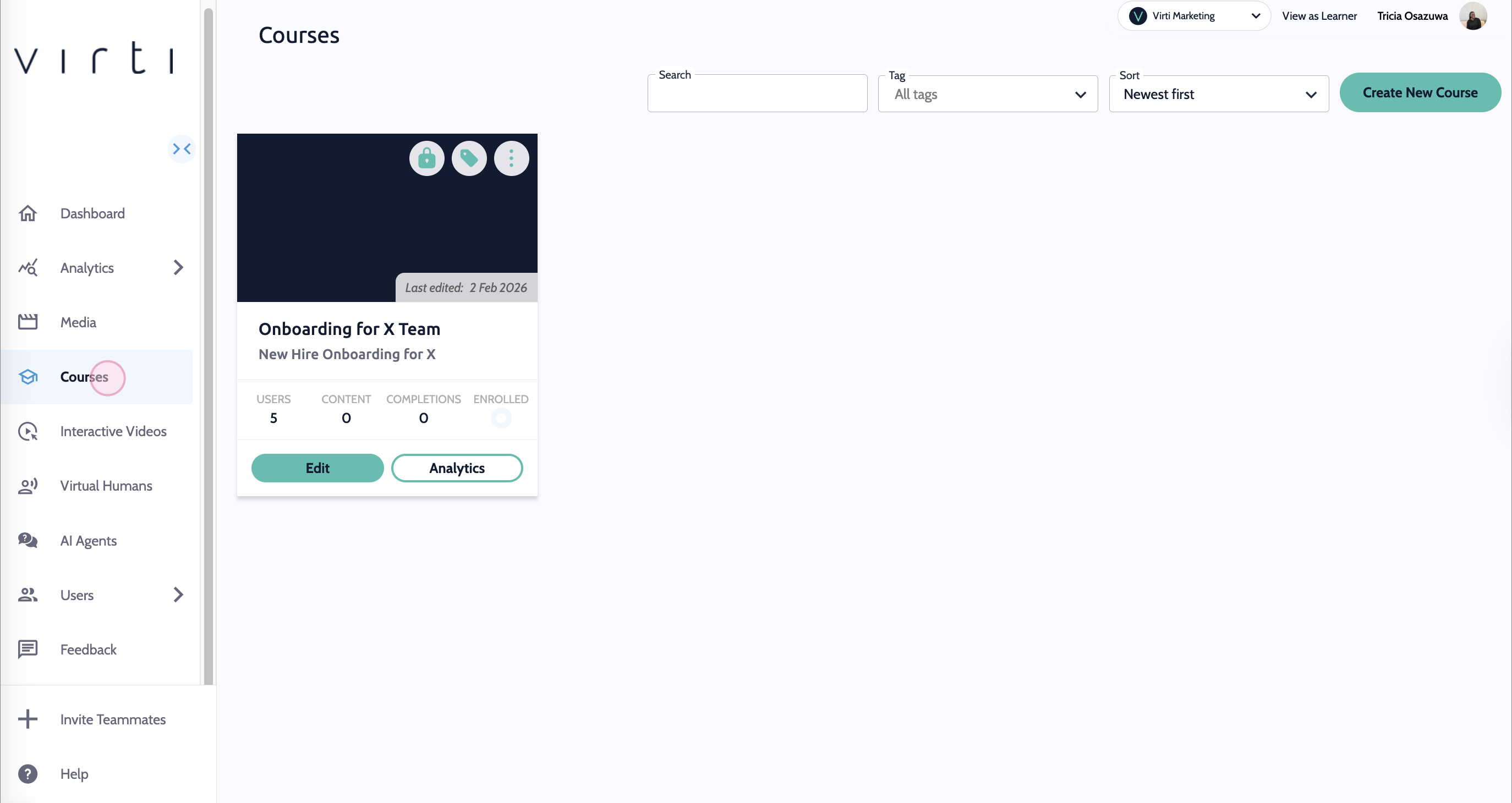
You can manage user access under the specific Course, via the edit and access tools, or the Virti User tab.
Learners - will be able to access Courses assigned to them or their group.
Content Creators - can edit, duplicate, and delete Courses.
Admins - have full access to edit, duplicate, and delete Courses. They can also manage user access and see Course analytics.
For admin users and content creators, see this article on how to create courses in Virti.
Need more help? Get support from our Virti Support Team via [email protected]
