Virtual Humans provide a safe environment to where your learners can practice communication skills in a standardized way. The essence of training and learning lies in evaluating performance and receiving feedback, and helps you gain an understanding of your learners strengths and areas of improvement. Below we will show you how to access a Virtual Human performance report, and discuss the two types of performance analysis that are provided to you. This guide will demonstrate how to review a learner's performance and interpret their performance report.
To access your learners Virtual Human performance reports, log in to app.virti.com, and navigate to a virtual human, and then to Analytics.
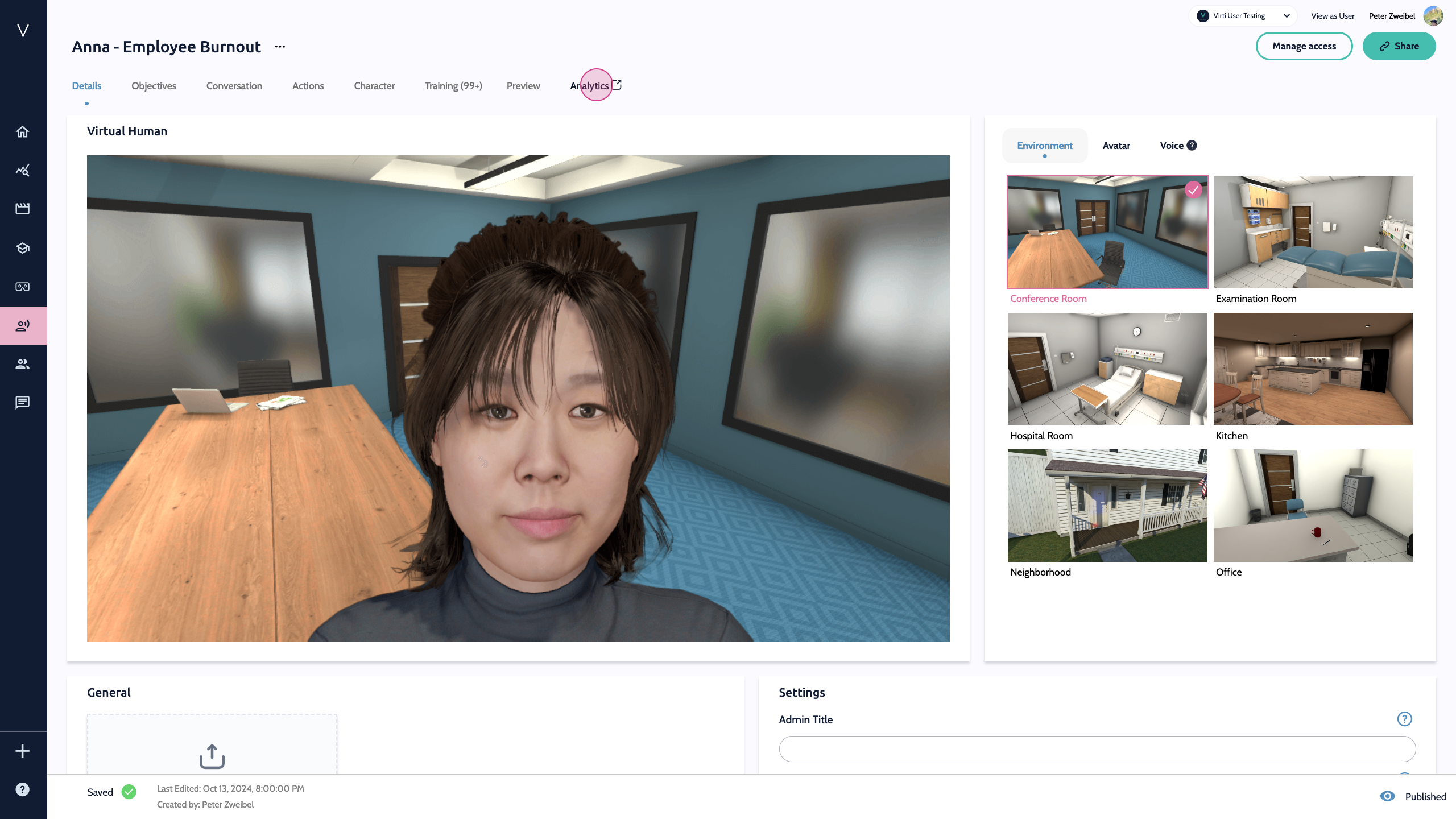
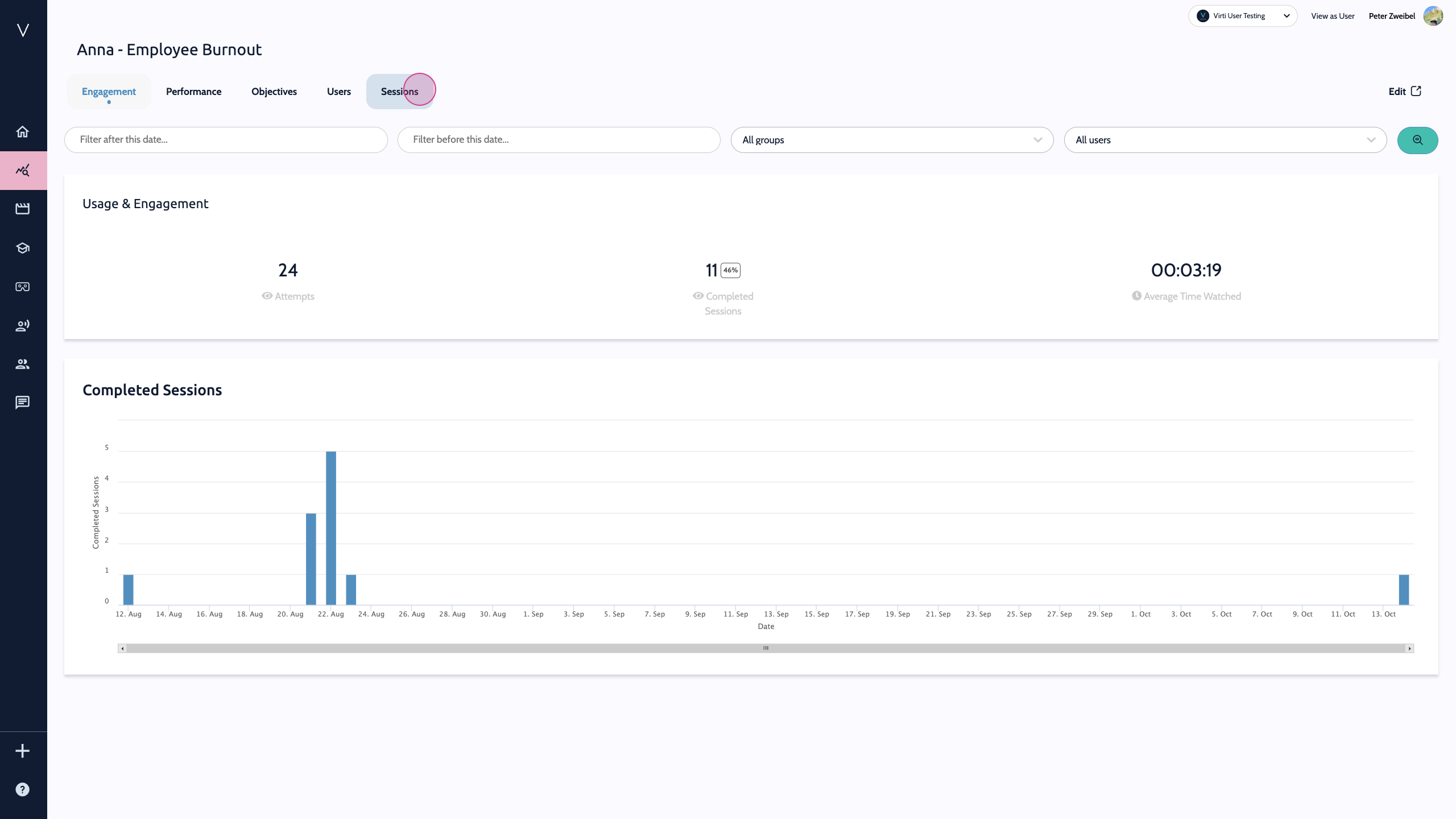
Proceed to the sessions area.
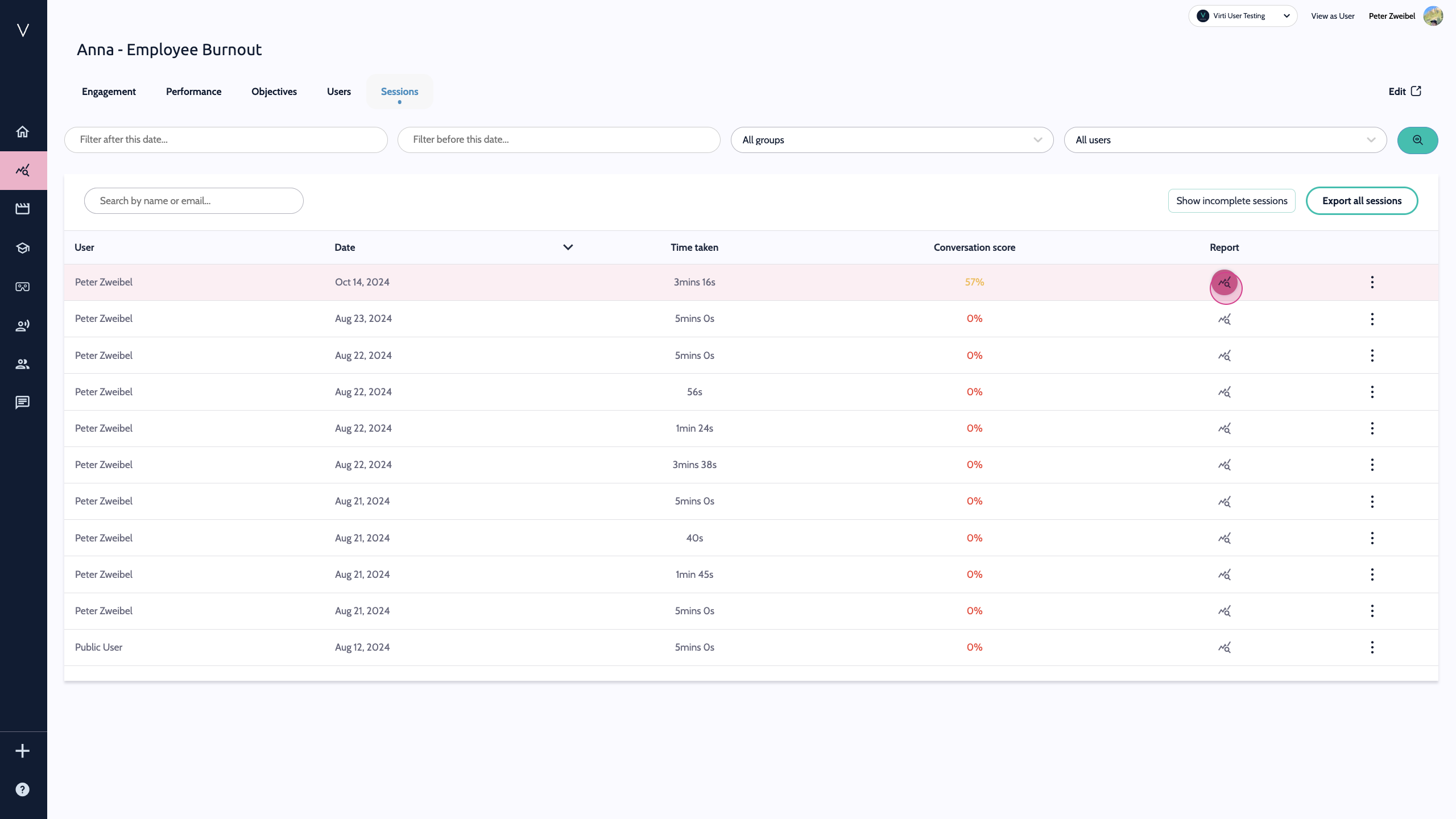
Here you will see a list of all of the sessions that have been completed for this Virtual Human. To review a specific performance report, hit the icon in the Report column.
This will display the performance report for your chosen session, which displays the learner's overall score, time taken, and the objective points received.
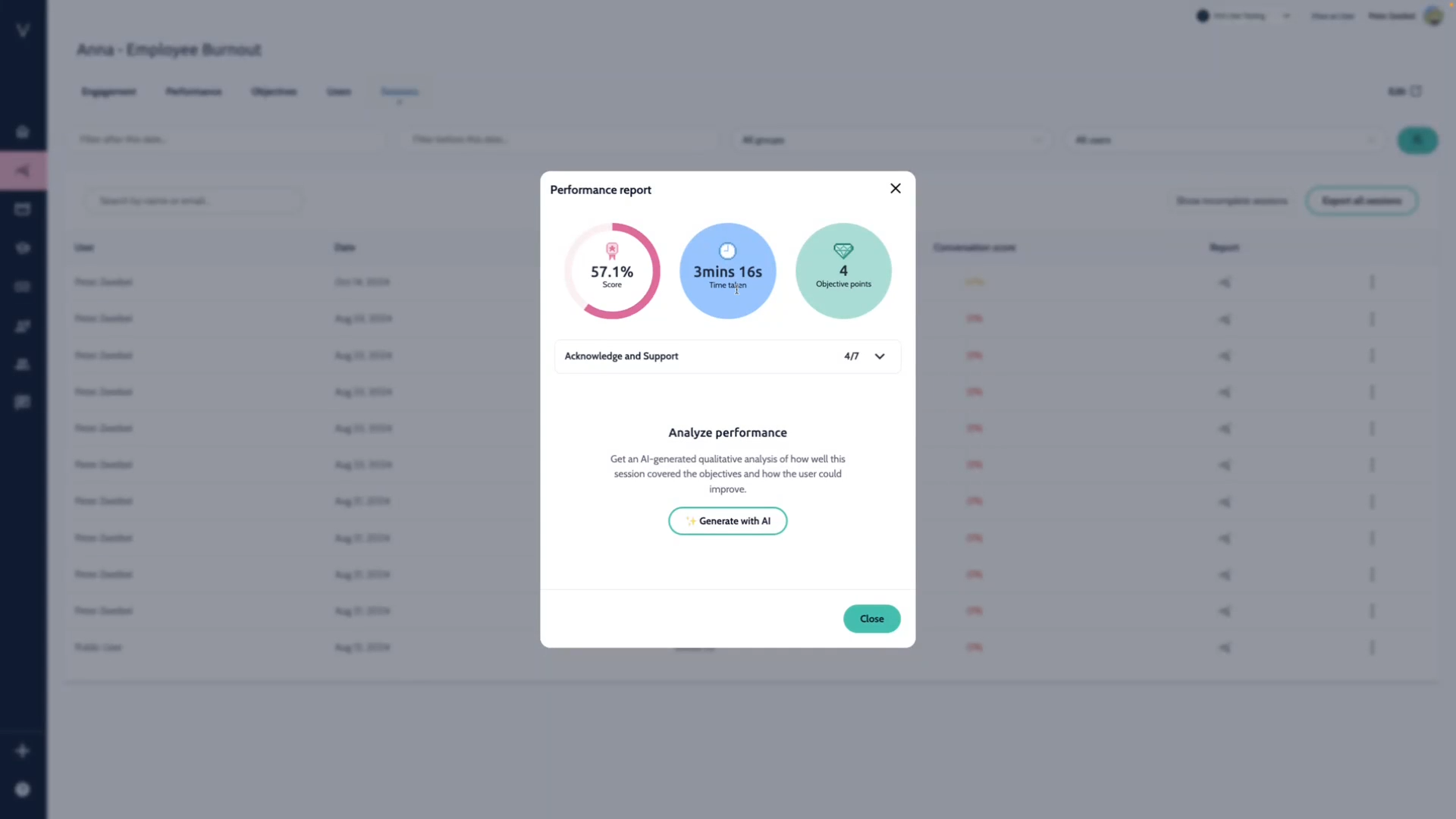
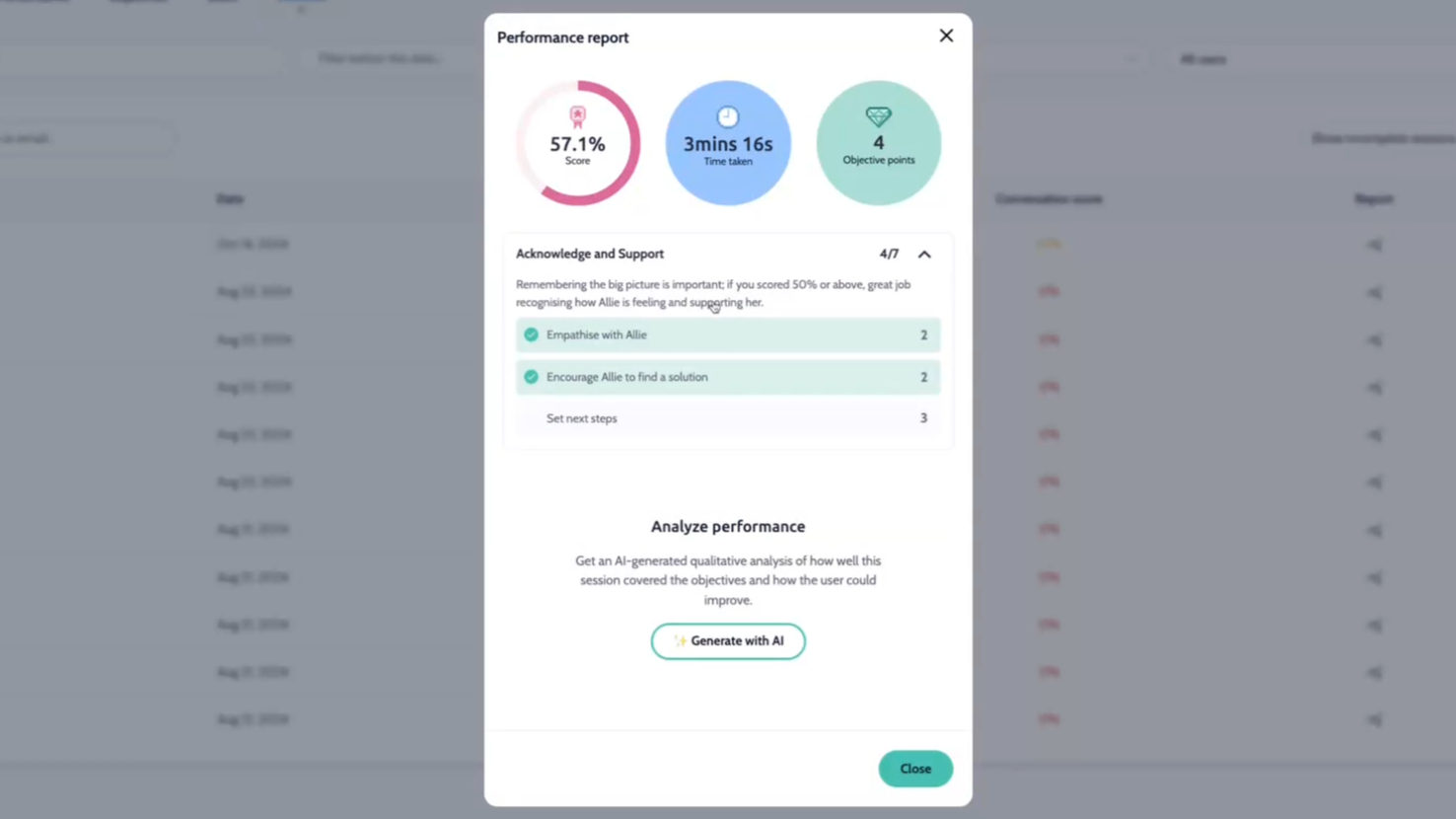
Virti provides two methods of evaluating your learners sessions. The first, uses Natural Language Understanding (NLU) to identify if your learners responses were similar to the possible inputs that you listed for the conversation item tied to your objective. This helps you understand if your learner used the specific responses that you determined would hit the objective. This can be particularly useful, if you are trying to teach behaviors that require a very specific and structured response, with a finite way of hitting the objectives. For example in a medical interviewing scenario, there's only a few ways to ask someone what medications they are currently taking.
We see in the above example that the learner hit 2 of the 3 objectives, Empathise with Allie, and Encourage Allie to find a solution, and scored 4 out of 7 objective points.
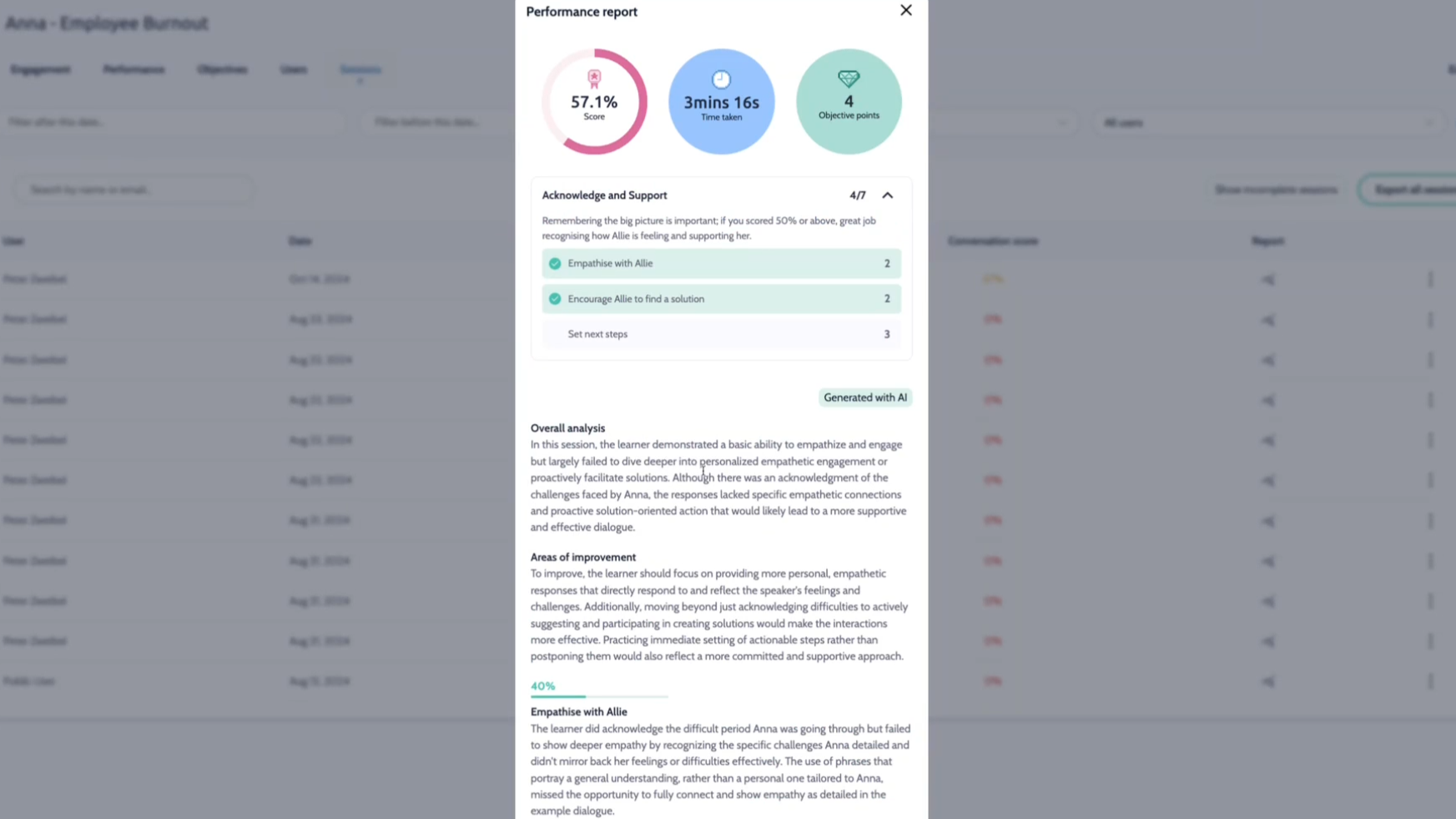
The second type of performance analysis, uses generative AI to analyze the entire transcript and provides ratings and qualitative feedback based on the objectives and possible inputs for conversation items. This report offers a more holistic view of the learner's performance throughout the conversation, and because it uses the entire transcript, will give you a more accurate assessment on objectives common in soft-skills scenarios, that are more open-ended, such as build rapport, or demonstrate empathy.
Need more help? Contact support@virti.com
