The Character editor is your primary tool for crafting detailed instructions to guide the Virtual Human’s behavior. Think of this process as providing a brief to an actor who will never break character. Every section of the Character Page contributes to shaping how the Virtual Human interacts, ensuring it stays realistic, aligned with the scenario, and tailored to your training objectives.
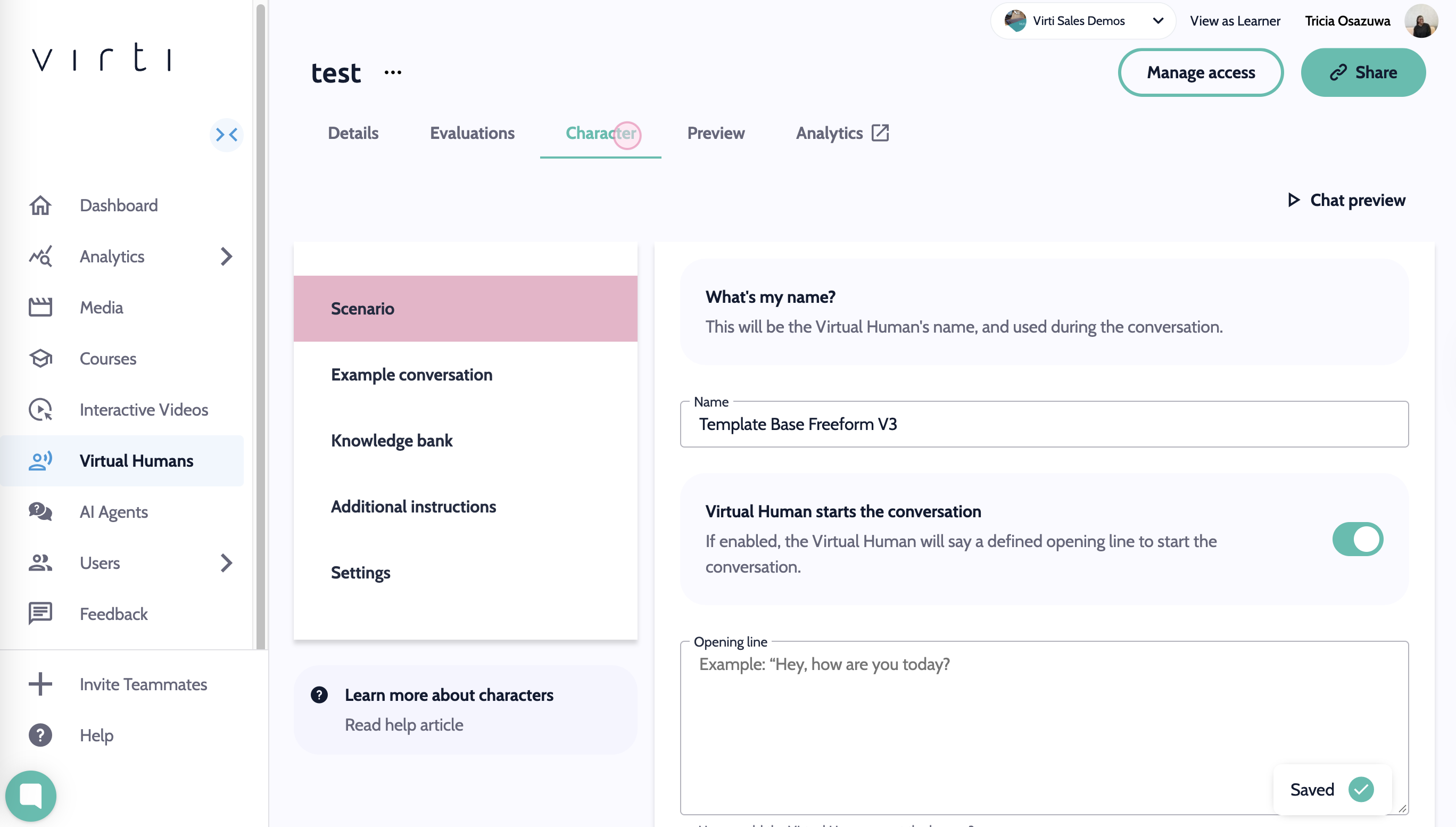
Each section of the Character Page is provided to the AI through a master prompt. This prompt integrates all the details from the Scenario, Example Conversations, Knowledge Bank, and Additional Instructions to shape the Virtual Human’s responses, ensuring they align with your specific needs and training goals.
Each section of the Character Page provides specific inputs to the master prompt, allowing you to customize your Virtual Human’s responses. Below are quick descriptions of each section, with links to explore them in detail.
The Scenario sets the stage for your Virtual Human’s behavior. This is where you name and describe your character, their background, traits, and the specific context they are operating in.
Purpose: To define who the Virtual Human is and provide the scenario context.
Example: "You are Jamie, a junior developer meeting with your manager to discuss missed deadlines. You’re apologetic but eager to find solutions."
Learn more about the Scenario Brief
This section allows you to provide sample dialogues that act as both style and content references for the Virtual Human’s responses.
Purpose: To shape the tone, style, and content of interactions.
Example:
Learner: "My internet cut out, and I missed an important meeting because of it!"
Virtual Human: "I understand how frustrating that must have been. Let me get some details so we can figure out what went wrong and make sure it doesn’t happen again."
Learn more about Example Conversations
The Knowledge Bank equips the Virtual Human with detailed expertise by processing uploaded documents. These could include company policies, product manuals, or role-specific information.
Purpose: To give the Virtual Human company-specific or scenario-relevant expertise.
Example: Uploading a fact sheet on organizational structure ensures the Virtual Human uses the correct terminology and reflects company culture.
Learn more about the Knowledge Bank
This section allows you to refine how the Virtual Human responds, setting parameters for tone, verbosity, and interaction style.
Purpose: To fine-tune the Virtual Human’s responses to fit your scenario.
Example: "You are concise and answer in 20 words or less."
Learn more about Additional Instructions
Creating a realistic and effective Virtual Human is an iterative process. After setting up each section, test the Virtual Human in a role-play scenario to evaluate its responses. Use these insights to tweak and refine the Character Page elements. Small adjustments, like modifying the tone in the Additional Instructions or adding specific dialogue to the Example Conversations, can have a significant impact on the outcome.
