
Building a conversational Virtual Human
This guide explains how to create a conversational Virtual Human learning Experience.
Getting started
A Conversational Virtual Human is a scenario-based learning experience where the learner navigates a conversation with a Virtual Human using their natural language. This interaction style is especially beneficial for intermediate learners who wish to practice and master conversational behaviors and skills. In this guide, you will get an overview of the two main parts of your Virtual Human, the Evaluations, how your learner will be assessed, and the Character, how your Virtual Human will behave.
Evaluations: Building the assessment
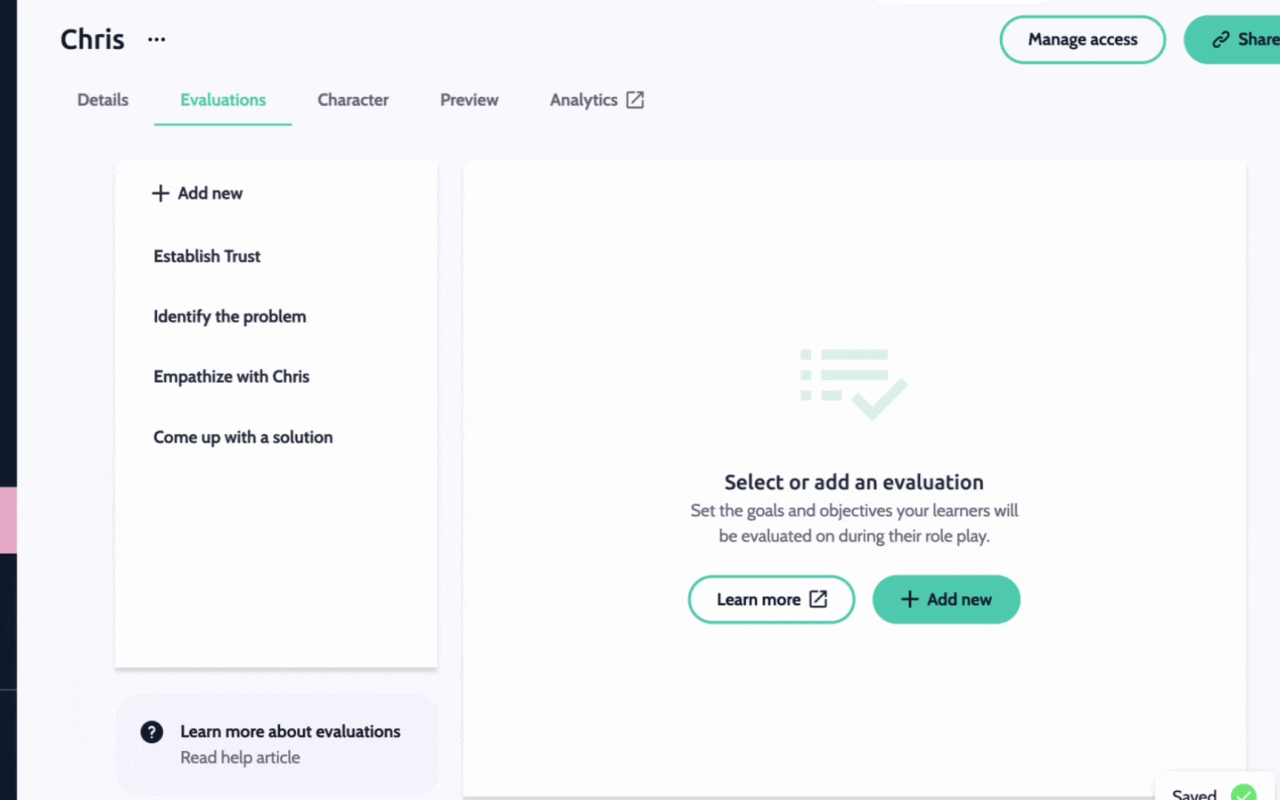
The first step involves adding evaluations, which are the criteria by which the learner will be assessed.
Click Add New to add your first evaluation, and give it a name.
In Criteria, describe the evaluation, and what the learner needs what the learner needs to do to achieve a good score.
In Example phrases, add examples of what could be said to achieve a good score.
Character: Scripting the conversation
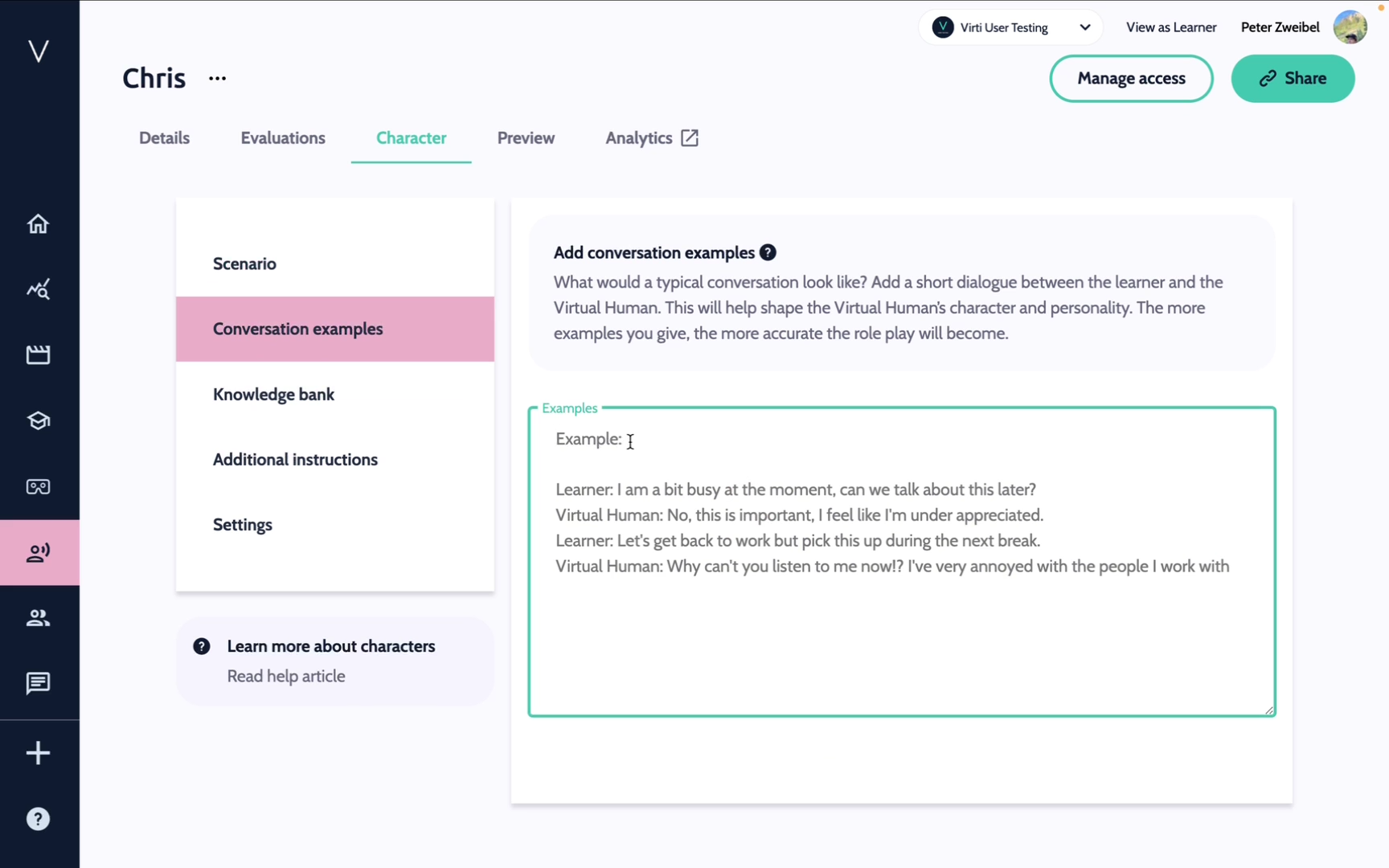
Next go to the Character page, where you will craft detailed guidance for how the Virtual Human will act during a training role-play. Think of this as providing a detailed brief to an actor who will never break character. You'll find a few different sections that allow you to influence how your Virtual Human responds.
Scenario - Provide the Virtual Human some information about the character they are playing, including name, how to begin the conversation, character background, scene information, and how they should act in certain scenarios.
Example Conversation - Here you can provide a sample script of your role play. This will allow the Virtual human to understand how to respond in certain situations, as well as provide an idea of the type of language and tone to use.
Knowledge Bank - Upload files to give your Virtual human specific expertise on company information, products, and more.
Additional Instructions - Provide any other instructions that will help tailor the responses to fit your scenario.
Settings - In settings, you can choose which LLM should power your conversation, for help on this check out this article.
That's it! You have now created a Conversational Virtual Human. After completing these steps, test the scenario to ensure everything works as expected.
Need more help? Contact [email protected]