
Administrators can now choose to hide scores from learners while retaining full visibility themselves, giving you more control over how and when performance data is shared.
Turning on Hide Scores
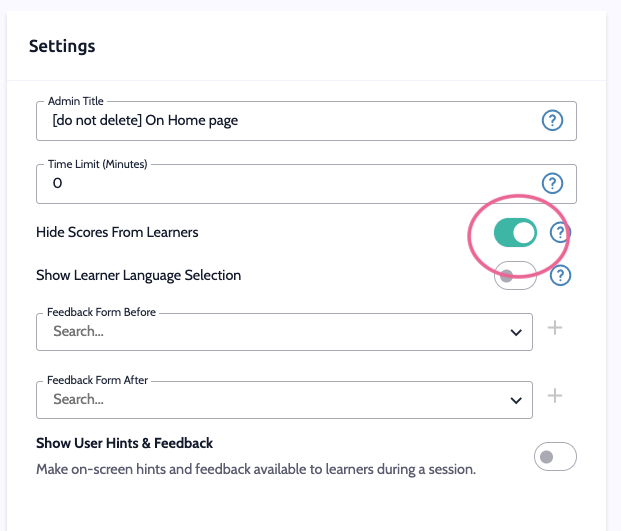
Select a Virtual Human scenario and scroll down to settings
Find the Hide Scores From Users toggle.
Switch it on to prevent learners from seeing their numeric score after a session.
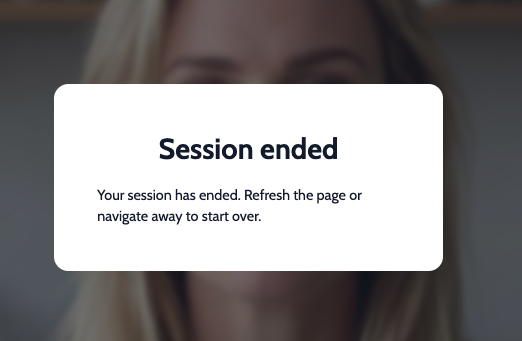
What learners see instead
With scores hidden, learners still receive a ‘session ended’ pop up and won't see the numeric score attached to it.
What admins see
As an admin, hiding scores from learners doesn't affect your own view — you'll continue to see full scores and analytics for every session, regardless of this setting.
Best Practice: Hiding scores can help reduce pressure in coaching-style scenarios where the goal is reflection and growth rather than pass/fail assessment.
💡 Tip
Need more help? Get support from our Virti Support Team via [email protected]